Setup guide
Beatpace on Garmin
Setup steps for installing and using Beatpace on a supported Garmin watch.
Works on music-capable Garmins: Forerunner 165/245/255/265/570/745/945/955/965/970 Music, Fenix 6 Pro family (6 Pro, 6S Pro, 6X Pro) and Fenix 7, 8, 9 (incl. Fenix E), Epix 2 and Epix Pro, Enduro 3, Venu (all music models, incl. Venu X1), Vivoactive 4/5/6, MARQ Gen 2, Descent Mk2/Mk3, Approach S70, and the matching Tactix and D2 variants.
Older watches (Forerunner 645 Music, Fenix 5 Plus, Vivoactive 3 Music) aren't on the list yet. Don't see your watch? support@beatpace.io.
Opens the Garmin Connect IQ store listing.
What is Beatpace?
Beatpace is a Connect IQ music provider, alongside Spotify and Amazon Music. But unlike Spotify and Amazon, the music is built around your workout. Each mix follows the structure you give it (warmup, intervals, threshold, cooldown) with the beat locked to your cadence and the music shifting when your block shifts. On a supported Garmin, the whole mix runs natively on the watch. Phone stays home. Following a plan in intervals.icu, AI Endurance, TrainerDay or Tredict? Your planned sessions land on the watch too.
See how Beatpace works for runners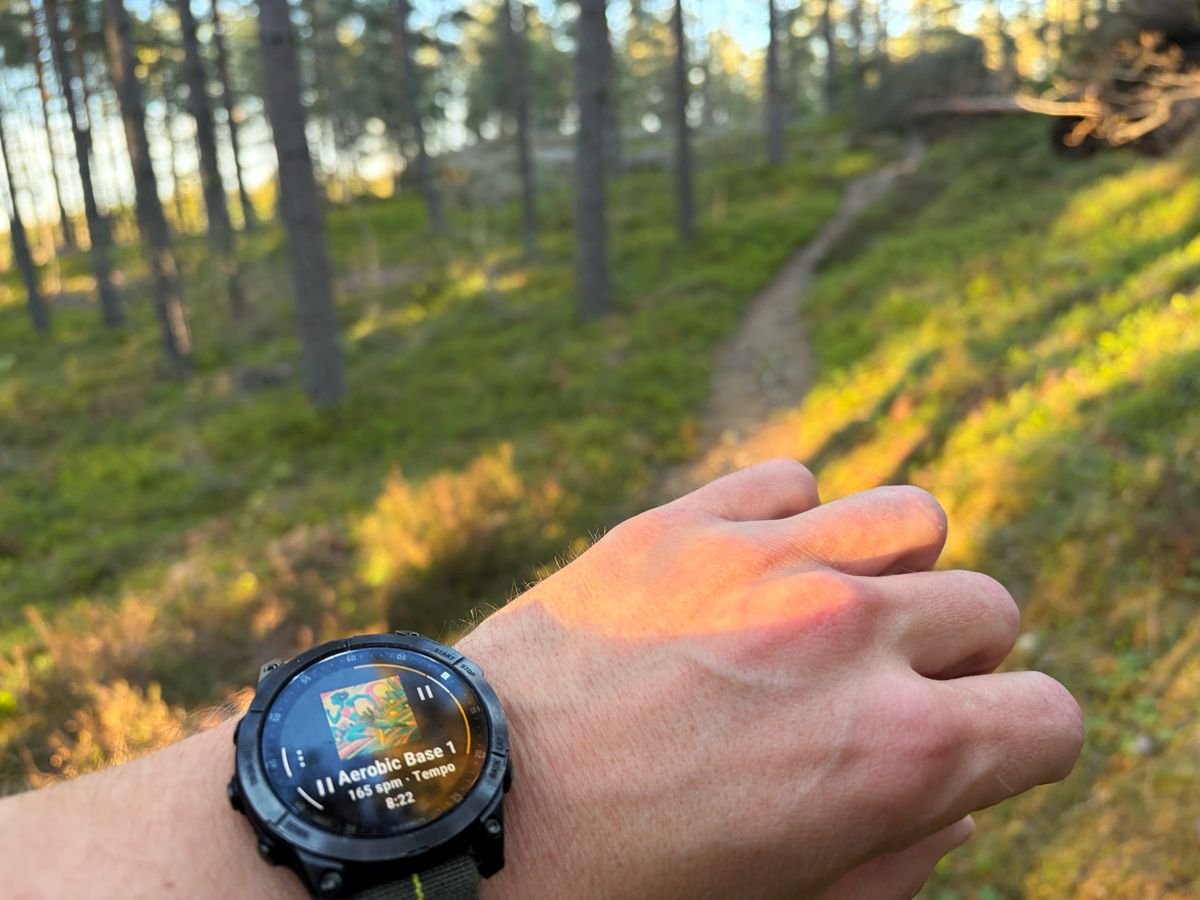
Before you start
- A Garmin watch with built-in music storage (Forerunner 255/265/955/965/970, Fenix 7/8/9, Epix Pro, Venu 3, and similar).
- The Garmin Connect mobile app installed and signed in on your phone.
- Bluetooth headphones, paired to the watch.
- A free Beatpace account. You can create one as you pair the watch, or sign up first at app.beatpace.io.
1. Install Beatpace on your watch
- 1
Open theBeatpace listing on Connect IQ, or search "Beatpace" in the Connect IQ app on your phone.
If you have Garmin Connect Mobile, you already have Connect IQ. It's the storefront for watch apps.
- 2
Tap Install.
Beatpace syncs to your watch the next time it connects to your phone over Bluetooth.
- 3
On your watch, open MusicProvidersBeatpace.
Beatpace shows up alongside Spotify and Amazon Music in the music providers list.
- 4
Pair your watch.
The watch shows a QR code. Scan it with your phone, then sign in or create a free account on the spot, and the watch connects on its own. No Beatpace account needed beforehand, one is created as you pair.
Can't scan? The watch also shows a short code. Go to app.beatpace.io/link on any device, sign in, and enter that code.
2. Sync your first mix
You can sync right away from the watch's Featured list, no setup needed. To sync your own mixes, build one yourself or save one from another creator in the web or phone app first. The watch can't create or browse, only play what's already in your library.
- 1
Open app.beatpace.io on your phone or computer.
Nothing to set up here to get started: the watch's Featured list already has a few running mixes you can sync and play right away. When you want your own, the watch can sync two more kinds of mixes:
- Mixes you create yourself. Build one from a template or from scratch. Once it's published, it lives on theLibrarypage and is eligible to sync.
- Mixes you save from other creators. BrowseDiscover, open any mix, tap the save icon. Saved mixes appear in your Library.
Hearts (likes) are different from Save. Only saved mixes show up on the watch.
- 2
On the watch: MusicProvidersBeatpaceSync more.
Every mix from My Mixes and Saved shows up here. Pick one. You can choose the coaching level too. Full coaching, beep cues only, or no narration.
- 3
Make sure the watch is on Wi-Fi.
Sync runs over Wi-Fi, not Bluetooth, so the watch needs a saved Wi-Fi network in range. Newer watches start syncing right away; older watches (and some firmware versions) only sync when the watch is also on its charger. If nothing happens after a minute, drop it on the charger.
- 4
Wait.
A typical 45-minute mix is roughly 100–150 MB and transfers in 5–10 minutes over home Wi-Fi.
Headphones not paired yet? Use the standard Garmin flow. SettingsSensors & AccessoriesAdd NewHeadphones.Garmin's full pairing guide
3. Play
- 1
Open MusicProvidersBeatpace on your watch.
- 2
Pick a synced mix from the list.
Every mix you've synced is in the list with its total duration.
- 3
Hit play and start moving.
Start an activity, or just play standalone. Block name, BPM and time remaining show in the standard Garmin now-playing screen. Skip-to-block works from the wrist.
Already using Spotify or Amazon Music on your watch? Beatpace lives alongside them. Garmin plays one music provider at a time. Switch between them on the watch under SettingsMusicProvider.
Troubleshooting
Sync isn't starting.
The watch needs Wi-Fi. Most newer watches start syncing immediately; older watches (and some firmware versions) only sync when the watch is also on its charger. If nothing happens within a minute, plug the watch into its charger and leave it there.
Sync hangs on the first attempt.
The watch-to-phone link can take a moment to wake up over Bluetooth. Beatpace retries automatically for about a minute. If it still fails, open Garmin Connect Mobile on your phone and try again.
"Mix too large" or "Watch storage full."
Each Beatpace mix is roughly 100–150 MB. Older watches with smaller storage fill up faster. On the watch, open BeatpaceManage Downloads, and remove mixes you have already used.
Sign-in failed, or the watch signed me out.
Watch sign-ins renew every time the watch syncs, so under normal use they stay valid indefinitely. They only expire if the watch goes 30 days without syncing, or if you change your password, or if you sign the watch out from your account settings. To sign in again, open Beatpace on the watch: it shows a QR code (and a short code) to re-pair from your phone, the same way you set it up.
Mix won't play, or audio error mid-mix.
On the watch, open BeatpaceReset Cache. The watch will re-fetch the mix on the next sync.
Spotify (or Amazon Music) keeps playing instead of Beatpace.
Garmin plays one music provider at a time. To switch to Beatpace, on the watch go to SettingsMusicProvider, and pick Beatpace. The setting sticks until you change it back.
My watch isn't in the supported list.
Beatpace needs a Garmin with built-in music storage and Connect IQ Music Provider support. If your watch can run Spotify or Amazon Music, it can run Beatpace.
Didn't find it? Email support@beatpace.io.
Ready to run?
Install Beatpace from the Connect IQ store and sync your first mix.